Subscribe to our newsletter
October 29, 2026
Technology

Dotloop vs. Jointly: Which transaction platform fits your brokerage?

By
Team Jointly
,
Sales & Marketing
Summary

Dotloop vs. Jointly: which transaction management platform fits your business? Dotloop is a long-established platform with broad national coverage, native mobile apps, and partnerships with 190+ associations and MLSs. Jointly is a newer platform focused on Texas and Arizona, with direct MLS partnerships (Unlock MLS and Phoenix REALTORS), automatic PDF splitting with document type detection, built-in lease management with TransUnion tenant screening, and compliance checklists that adapt to each deal. Both handle e-signatures, email document upload, templates, and broker review workflows. On pricing, Jointly’s Starter plan is free for your first 7 deals, then $9/month; Pro is $49/month and Business starts at $249/month for up to 5 users. Dotloop offers a free plan for up to 10 transactions, Premium at $34.99/month, and custom-quoted Teams and Business+ plans. Choose Dotloop if you work across many states or already run on it. Choose Jointly if your deals are in Texas or Arizona, you handle leases, or you want a low-cost start.

Overview: Dotloop vs. Jointly

If you're evaluating transaction management platforms for your brokerage or team, you've likely considered Dotloop, the long-established player in the space. But as the real estate tech landscape evolves, newer platforms like Jointly are reshaping what transaction management can do. Both serve agents, teams, and brokerages, but they approach the workflow differently.

This comparison focuses on the core features, workflows, and use cases where each platform excels—so you can make a decision based on your actual needs, not marketing claims.
Document management and automation

Both Dotloop and Jointly handle document upload, organisation, and e-signing. The difference is how much manual work sits between receiving a document and getting it signed.

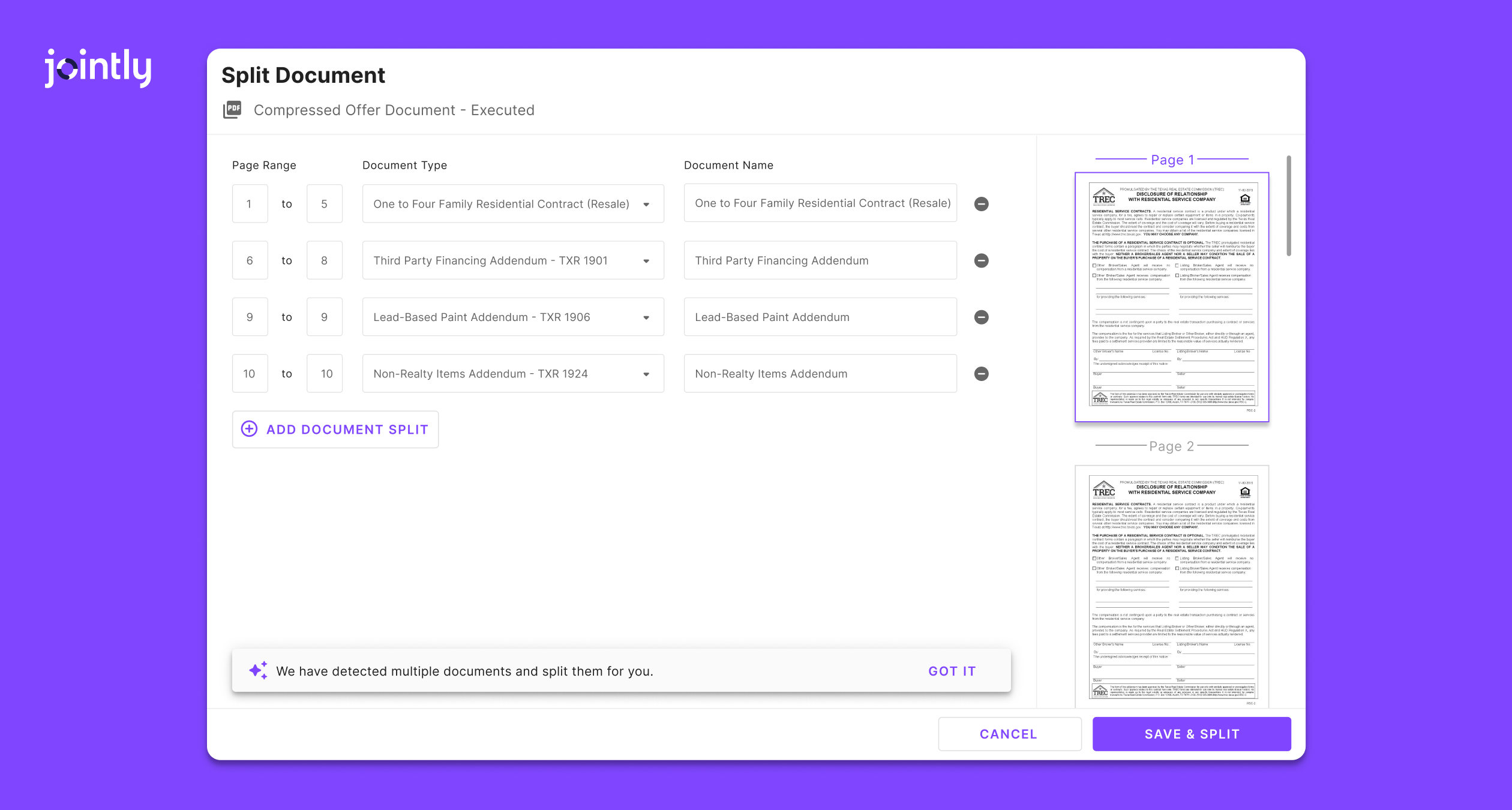
Splitting multi-document PDFs

  • Dotloop: Manual split. You choose how many documents, assign page ranges, and name each one.
  • Jointly: Automatic split with document type detection. Jointly identifies the individual documents in a combined upload and separates them, and you can adjust page ranges and names if needed.

Adding documents by email

Drafting an offer

  • Dotloop: Start from templates and add documents to the loop as needed.
  • Jointly: Required documents are pulled in automatically as you work through the offer, supporting both speed and compliance.

Forms, templates and pre-fill

  • Dotloop: Supports custom templates and interactive PDFs, with autofill. Interactive forms typically come through your brokerage or association.
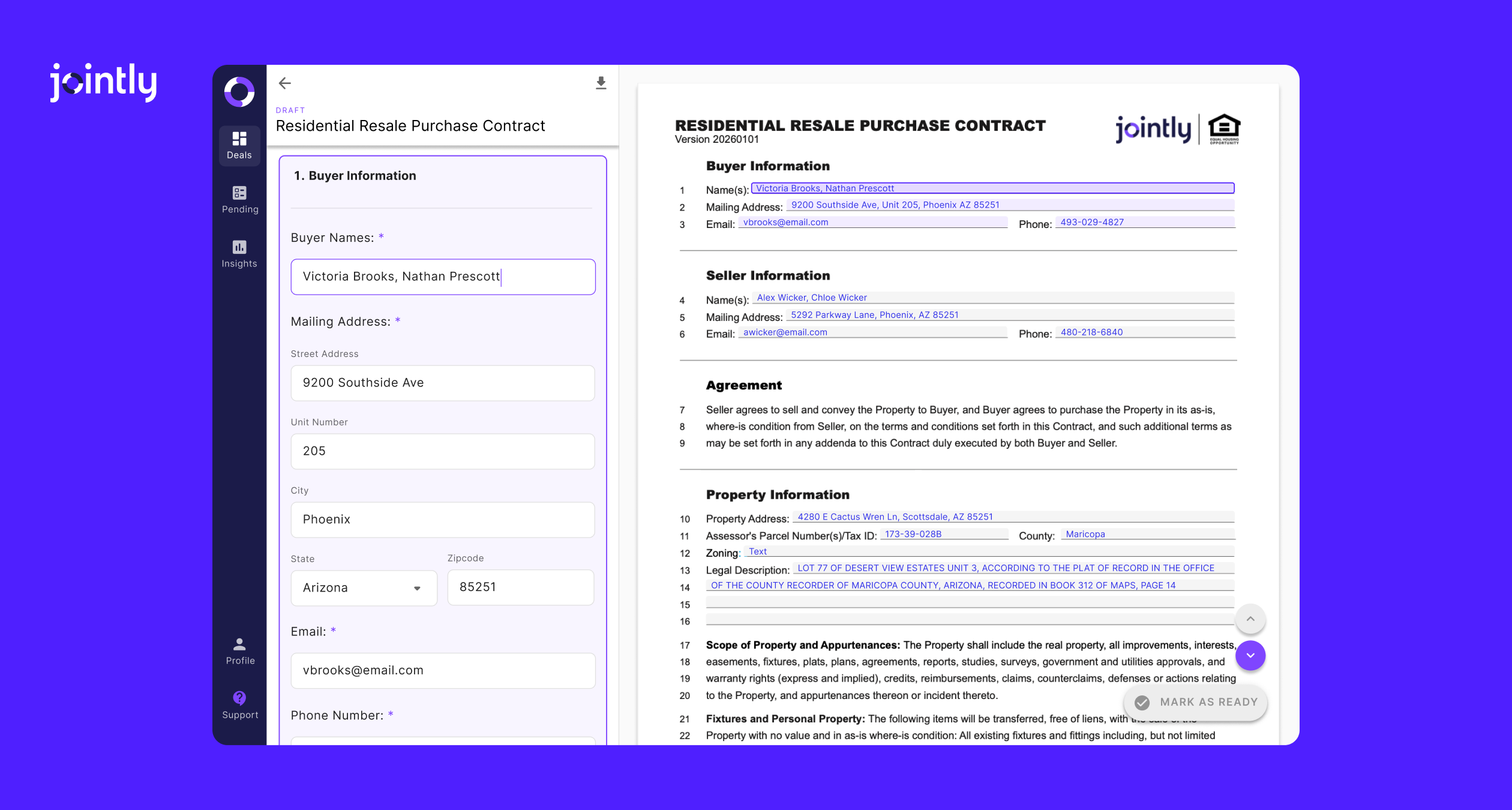
  • Jointly: Smart webforms and a forms library are available as soon as you sign up. Pick a form, and Jointly pre-fills known details so you can draft a contract in minutes.

‍

Form filling and state compliance

Both platforms offer digital forms, templates, and pre-fill. The difference is where each one is strongest.

Drafting experience

  • Jointly: Guided, side-by-side form filling. The form and its questions appear together, details pre-fill from your MLS and saved preferences, and required documents are pulled in as you go. The forms library and webforms are available from sign-up. (Side-by-side is available currently for Phoenix REALTORS forms in Arizona, and the feature is coming to Texas documents — which currently use step-by-step form filling — as well soon.)
  • Dotloop: Interactive forms with autofill from loop details, plus MLS-fed autofill where partnerships exist. Interactive forms typically come through your brokerage or association.

Templates and custom documents

  • Jointly: Saved templates, plus the option to upload your own documents and map fields.
  • Dotloop: Custom templates, applying a template to an uploaded PDF, and transaction templates.

State and market coverage

  • Jointly: Focused on Texas (TREC, TXR, Unlock MLS forms) and Arizona (ARMLS, Phoenix REALTORS forms). Forms auto-populate, required addenda are added automatically, and libraries are kept current by Jointly.
  • ‍Dotloop: Broad multi-state coverage through partnerships with 190+ associations and MLSs.

Which fits? If most of your deals are in Texas or Arizona, Jointly’s MLS pre-fill, guided drafting, and locally maintained forms are built around those markets. If your team works across many states, Dotloop’s wider coverage is the safer choice.
‍

Transaction types and deal tracking

Both platforms cover purchase, sale, and lease transactions. The difference is how much of the rental workflow is built in.

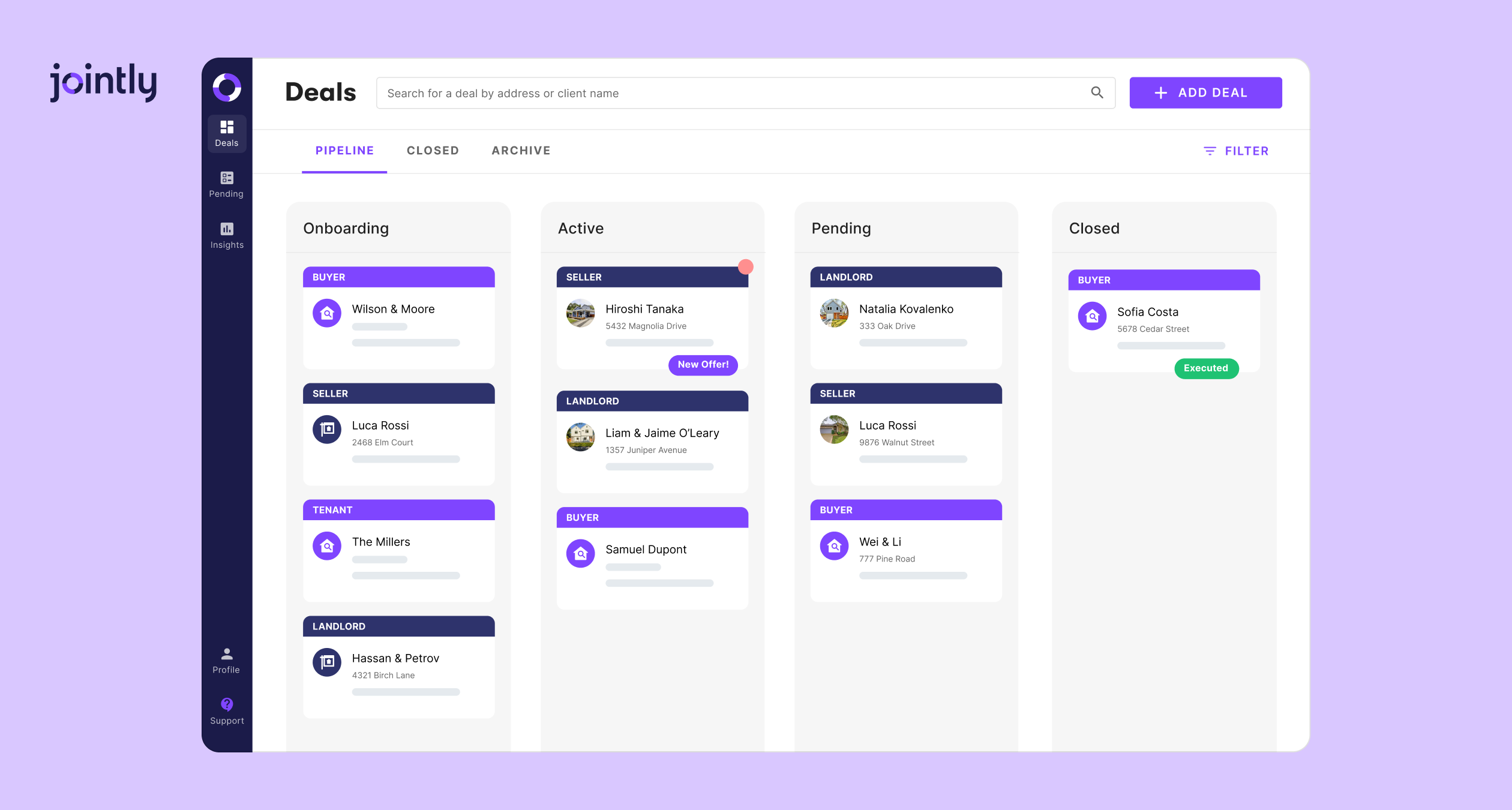
Transaction types

  • Jointly: Purchase, sale, and lease deals for buyers, sellers, tenants, and landlords, all in one workspace.
  • Dotloop: Purchase, sale, and lease transactions.

Leases and tenant screening

  • Jointly: Built in. Lease applications, TransUnion tenant screening, and application fees are handled inside the deal.
  • Dotloop: Lease transactions are supported. Tenant screening typically comes through a third-party integration.

Offers and listing portals

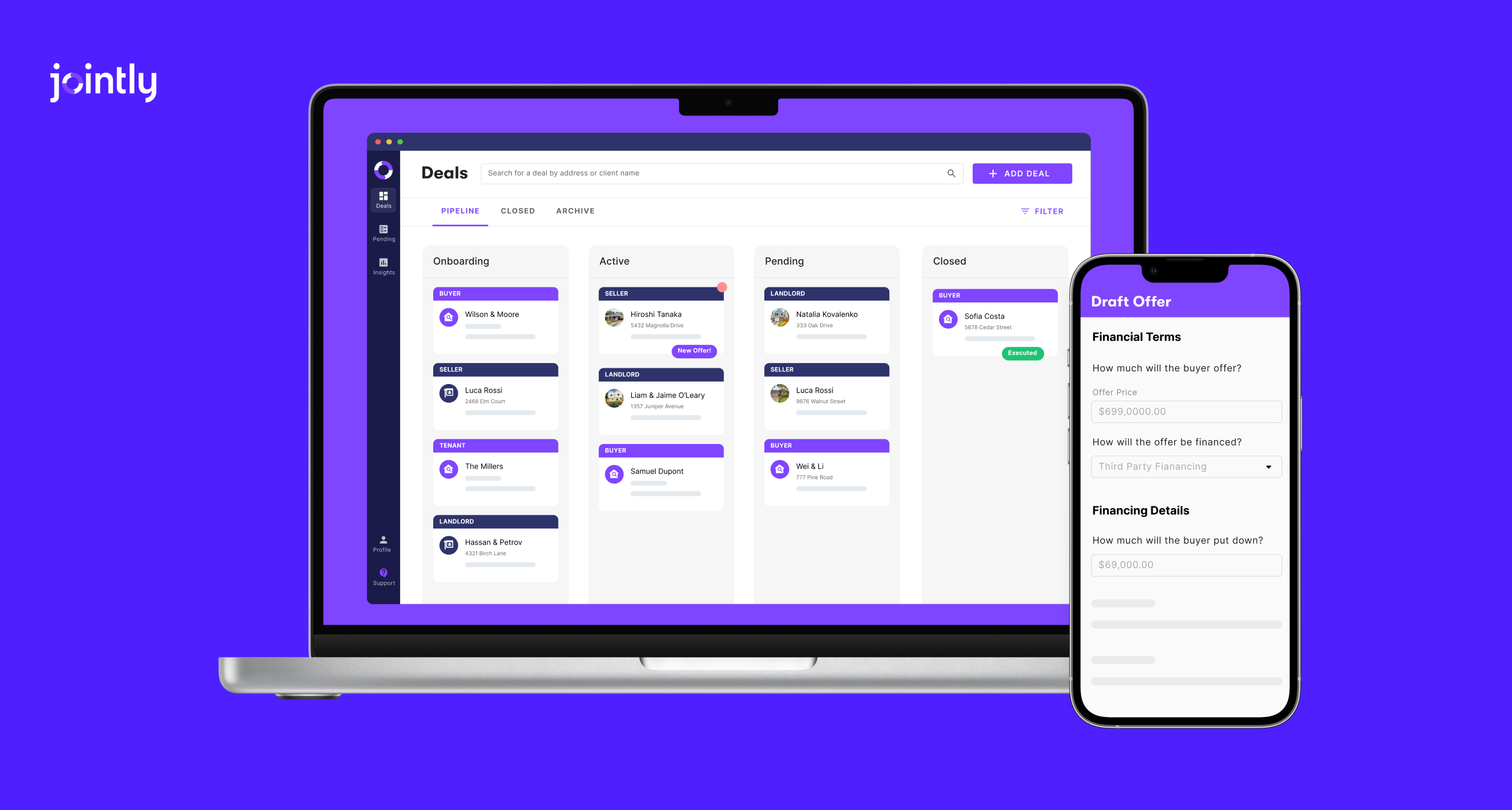
  • Jointly: A listing portal where buyers start drafting offers, and sellers can compare multiple offers side by side.
  • Dotloop: Easy-Offer Links let you share a secure, public link to a set of offer documents for a listing.

Which fits? If your team handles rentals regularly, Jointly’s built-in lease workflow and tenant screening mean one less tool to manage. If you mainly work sales, both platforms cover the essentials.
‍

Compliance and approval workflows

Both platforms support structured broker review. The difference is how that review is set up.

Review model

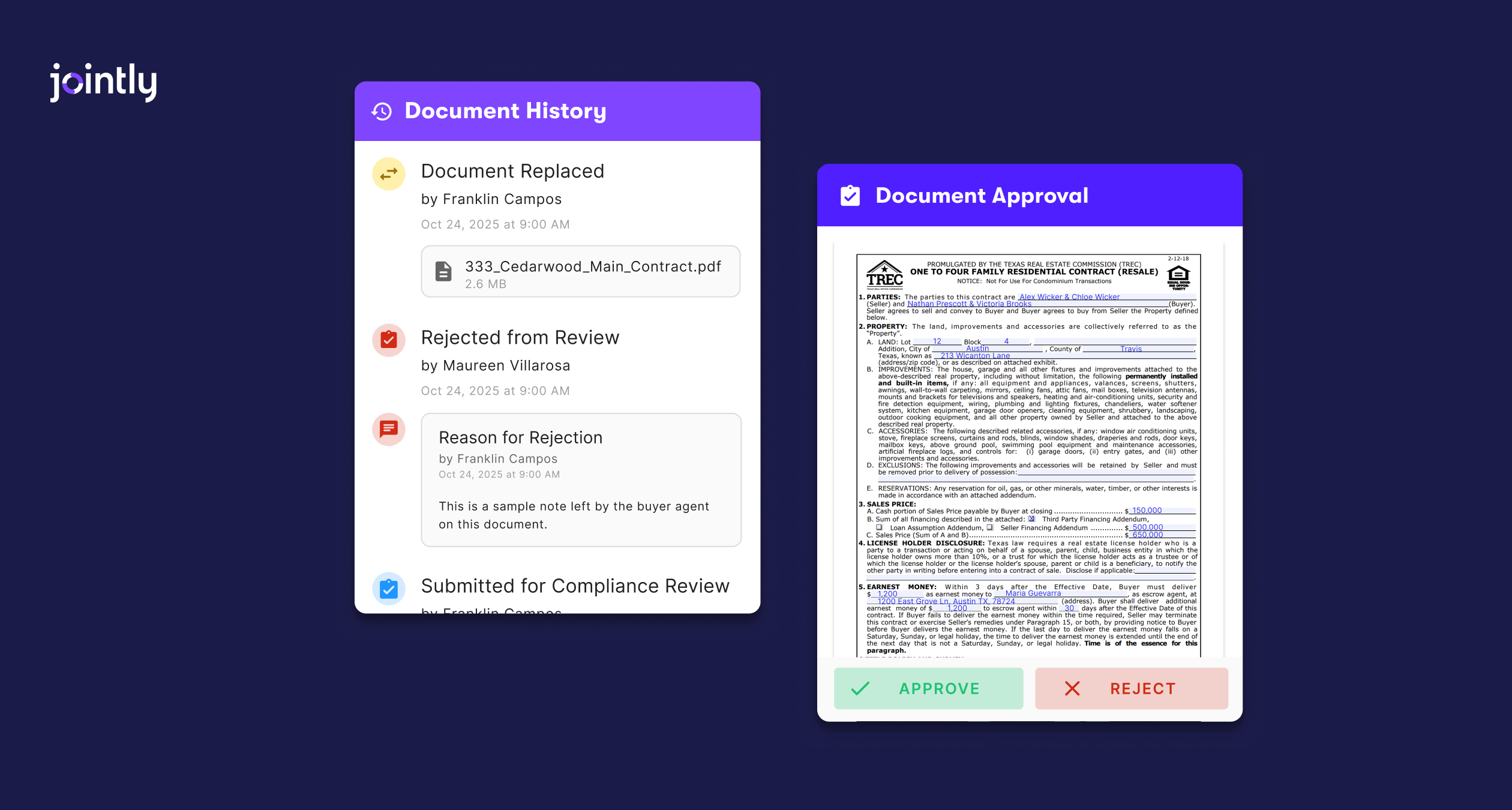
  • Jointly: Two models, chosen by your team admin. Guided Compliance builds a checklist from your team’s default documents and each deal’s answers, with guided submission, compliance-manager review, and a transaction approval status. Jointly Document Approval lets agents submit documents for review whenever they’re ready, with written reasons for any rejection. Jointly also has a robust upcoming Commission Automation feature that allows you to create plans and easily create, review, and submit your Commission Disbursement Authorization to title.
  • Dotloop: Submit-for-review workflows where admins approve or return documents, with status badges, notes, and folder-based review stages.

Level of oversight

  • Jointly: Brokers can choose lighter, document-by-document approval or stricter, checklist-based package review.
  • Dotloop: Well-established review workflows, including document-level approve and return actions.

Which fits? If you want a checklist that adapts to each deal’s details, or the option to switch between lightweight and strict oversight, Jointly offers that choice. If your brokerage already runs its review process through Dotloop’s workflows, those tools are mature and proven.

‍

Integrations and MLS connectivity

This is where geography matters.

MLS partnerships

  • Jointly: Direct partnerships in Austin (Unlock MLS) and Phoenix (Phoenix REALTORS), with MLS data pre-filling into guided workflows. Unlock MLS members get Jointly Starter free, and Phoenix REALTORS Non-member MLS Access participants get access to a Phoenix REALTORS-specific forms library with MLS pre-fill.
  • Dotloop: Broader national reach, with partnerships across 190+ associations and MLSs.

CRM and storage integrations

  • Jointly: Follow Up Boss integration on the Business plan, CRM-sourced contact suggestions, and document storage at no extra charge.
  • Dotloop: 65+ integrations, including CRMs and cloud storage tools.

Which fits? If you operate outside Texas and Arizona, Dotloop’s integration breadth is an advantage. If you’re in Austin or Phoenix, Jointly’s direct partnerships make it a seamless, low-cost entry point.
‍

Mobile and remote work

Both platforms support remote and on-site workflows. The difference is how you access them.

Mobile access

  • Jointly: Works in the browser on desktop, tablet, and phone, so there’s nothing to download. Draft, sign, submit, and review on the go.
  • Dotloop: Native iOS and Android apps, including a document scanner that turns phone photos into editable PDFs.

Client signing

  • Jointly: Clients sign through secure links, with no password required by default.
  • Dotloop: Clients sign through email invitations, with an account login required to confirm their signature.

Which fits? If you prefer a dedicated app and a built-in scanner, Dotloop’s native apps are a plus. If you’d rather skip app installs and keep everything in the browser, Jointly keeps it simple for both you and your clients.

‍

Pricing and plan structure

Both platforms offer a free way to start and paid plans for agents, teams, and brokerages. The differences are where the price points land and how much is published up front.

Free entry point

  • Jointly: Starter is free for your first 7 deals, then $9/month. It includes forms, eSignature, and MLS integration.
  • Dotloop: A free plan covers up to 10 transactions, with MLS and association forms, eSignature, and the mobile app.

Individual agents

  • Jointly: Pro is $49/month. It adds timeline and calendar sync, offer comparisons, transaction coordinator access, and custom form templates, with no setup fees.
  • Dotloop: Premium is $34.99/month ($344/year if billed annually). It includes unlimited transactions, Clause Manager, task templates, SMS texting, and phone support.

Teams and brokerages

  • Jointly: Business starts at $249/month for up to 5 users, with discounted rates for additional users. Enterprise pricing is custom.
  • Dotloop: Teams and Business+ are priced by custom quote.

Extras

  • Jointly: No additional charge for MLS connections or document storage. Unlock MLS members get Jointly Starter Unlimited free, and your association may offer discounts on paid plans.
  • Dotloop: Paid plans include unlimited transactions. Team and brokerage pricing requires a conversation with sales.

Which fits? If you’re an individual agent, Dotloop Premium costs less per month than Jointly Pro, so the choice comes down to features and your market. Jointly’s Starter plan is the lowest-cost paid entry point of the two, and it’s free for Unlock MLS members. For teams and brokerages, Jointly publishes its Business pricing, while Dotloop requires a sales call before you see a number.

‍

Who should choose which?

Choose Dotloop if:

  • You work across many states beyond Texas and Arizona and want its coverage of 190+ association and MLS partnerships.
  • Your brokerage already runs on Dotloop, and you’d rather not retrain your team or rebuild existing workflows.
  • You prefer a native iOS or Android app with a built-in document scanner.

‍Choose Jointly if:

  • Most of your deals are in Texas or Arizona.
  • You want a low-cost way to start. Starter is free for your first 7 deals, then $9/month, and Unlock MLS members get Starter Unlimited free.
  • You handle leases regularly and want tenant screening built in.
  • You value MLS-connected forms with automatic pre-fill and guided drafting.
  • You want compliance checklists that adjust to each deal, with the choice of lighter or stricter review.
  • You’re a team or brokerage that wants published pricing. Business starts at $249/month for up to 5 users.

‍

Making the switch

If you’re on Dotloop and considering Jointly, the decision usually comes down to geography, team size, and how deeply Dotloop is built into your workflow. Switching costs are real, including the learning curve, team training, and deals already in progress. For team rollouts, Jointly’s Business plan includes premium implementation and live video training.

Price alone rarely settles it. Dotloop Premium costs less per month than Jointly Pro for an individual agent, so compare the total cost for your headcount and the features you’d use. If you work in Texas or Arizona, the combination of local MLS pre-fill, built-in lease tools, and a low-cost Starter tier is where Jointly tends to stand out.

‍

A practical approach: test Jointly alongside Dotloop. Sign up for the Starter plan, free for your first 7 deals, and draft a few offers or leases while your team keeps Dotloop running for deals in progress. You’ll verify your MLS and state licence number during sign-up. Once you’ve closed a handful of deals, compare drafting time, errors caught, and how clients responded to the experience.

Try Jointly for free today and see if it could work for your needs as a Dotloop alternative.

Subscribe for updates

Sign up to join our mailing list and receive the latest real estate insights from Jointly.
Thanks for signing up to our mailing list!
Oops! Something went wrong while submitting the form.