SkySlope alternative: Why Jointly powers small brokerages
By
Team Jointly
,
Sales & Marketing
Summary
Jointly is a deal-focused transaction platform with MLS pre-fill, auto-split, built-in leases and tenant screening, and published pricing: Starter is free for your first 7 deals, then $9/month, Pro is $49/month, and Business starts at $249/month for 5 users. It fits small brokerages and Texas and Arizona agents. SkySlope suits larger brokerages needing audit tools and accounting, from $340/month.
Jointly publishes this comparison, so we’ve linked to each platform’s own pages where you can verify details. Pricing verified November 2026.
SkySlope is a comprehensive transaction suite widely used by larger brokerages, with deep broker oversight and optional back-office accounting. Jointly is a newer platform focused on the deal itself, with direct MLS partnerships in Texas and Arizona. Both handle documents, forms, e-signature, and compliance. This guide compares where each is strongest so you can decide based on your market, team size, and workflow. For small brokerages and growing teams, the question is often whether you need a full brokerage suite or a focused deal workflow with published pricing.
Platform scope
SkySlope: A brokerage-wide suite. It includes transaction management, broker dashboards, audit tools, and forms, with SkySlope Books as an add-on for accounting and commission disbursement.
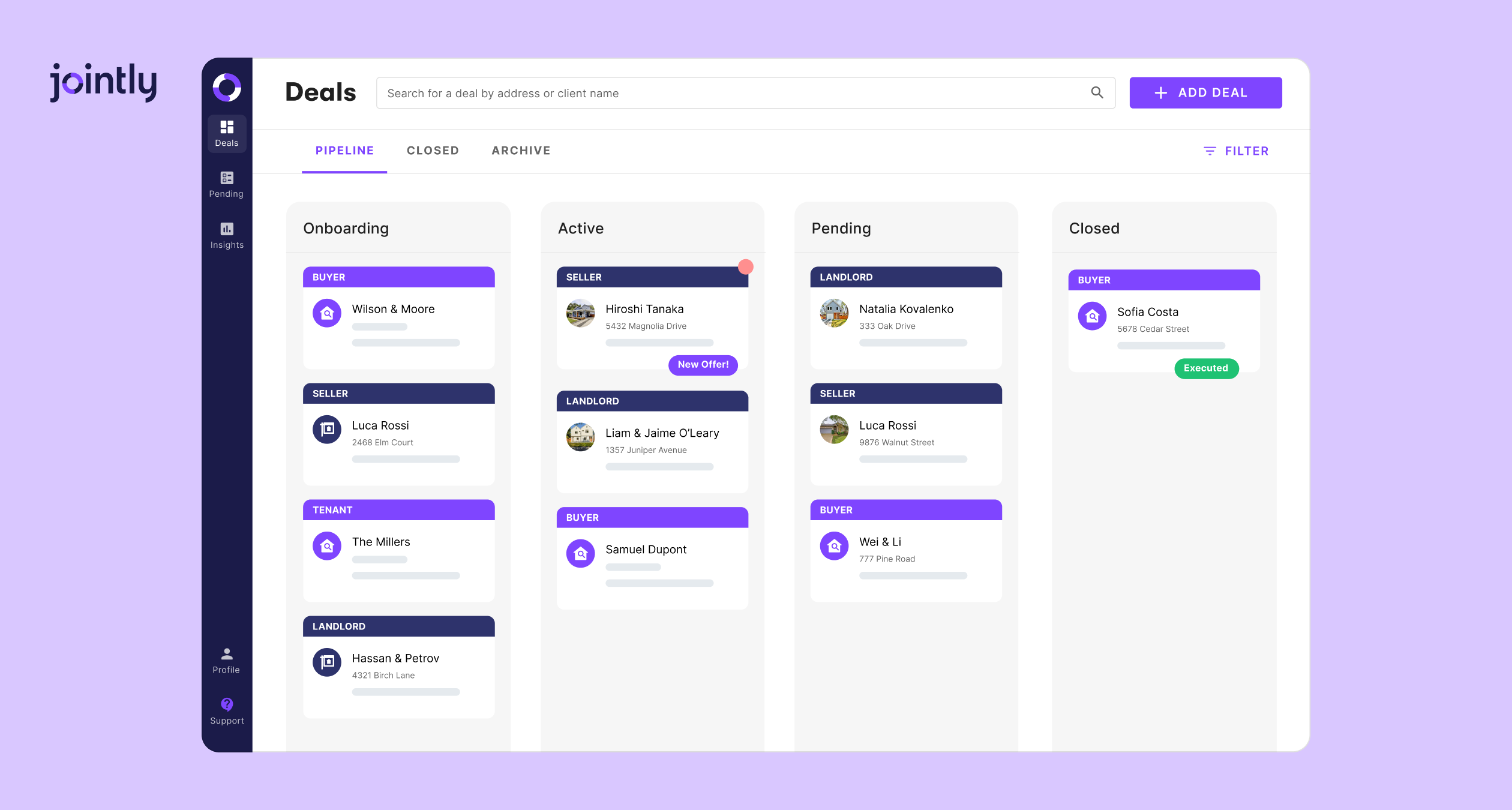
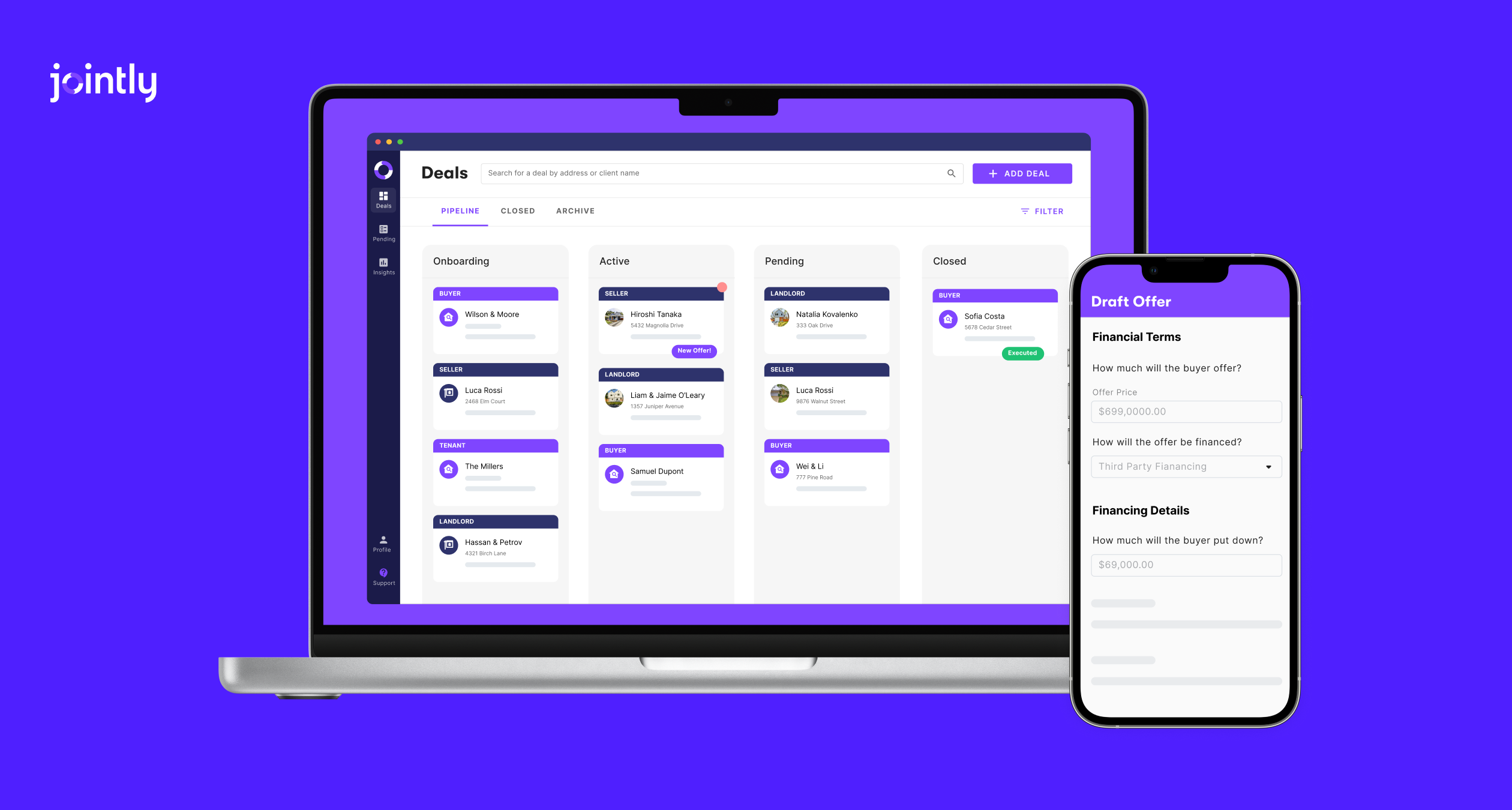
Jointly: Focused on the transaction itself: document handling, forms, signing, offers, leases, and deal-level compliance, plus transaction approvals on the Business plan.
Which fits? If you want one system for the whole brokerage, including accounting, SkySlope’s scope is broader. If you want a focused deal workflow and handle accounting elsewhere, Jointly’s narrower scope means fewer tools to set up.
Document management and automation
Both platforms cover upload, organization, e-signature, and email-to-deal document upload.
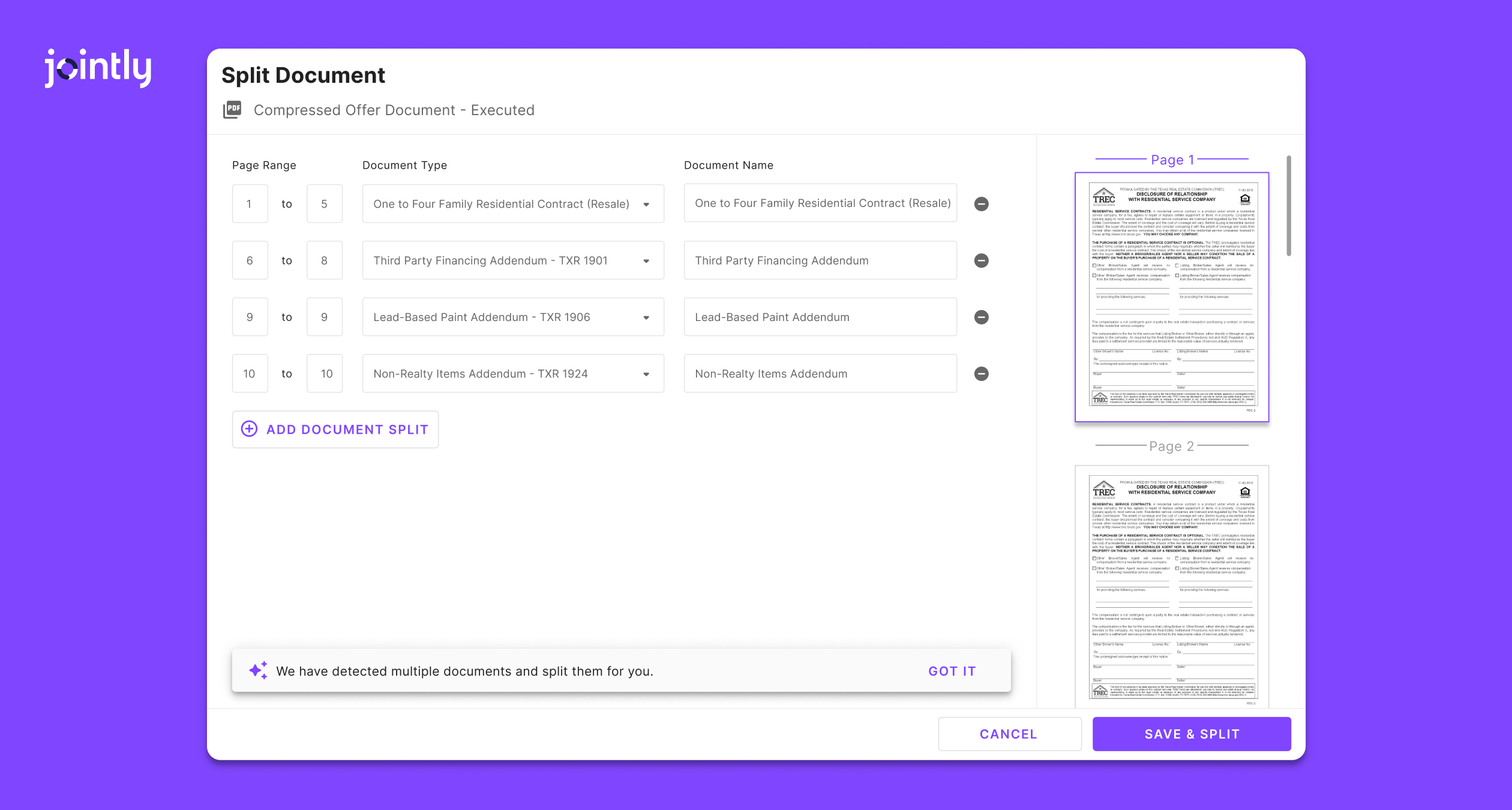
Splitting multi-document PDFs
SkySlope:Auto Split & Assign uses AI to separate document packets, rename the documents, and place each on the matching checklist item. You can review and adjust the results, and it works on mobile too.
Which fits? Document intake is comparable here. SkySlope’s edge is routing documents straight to a broker checklist, while Jointly’s is a lighter setup.
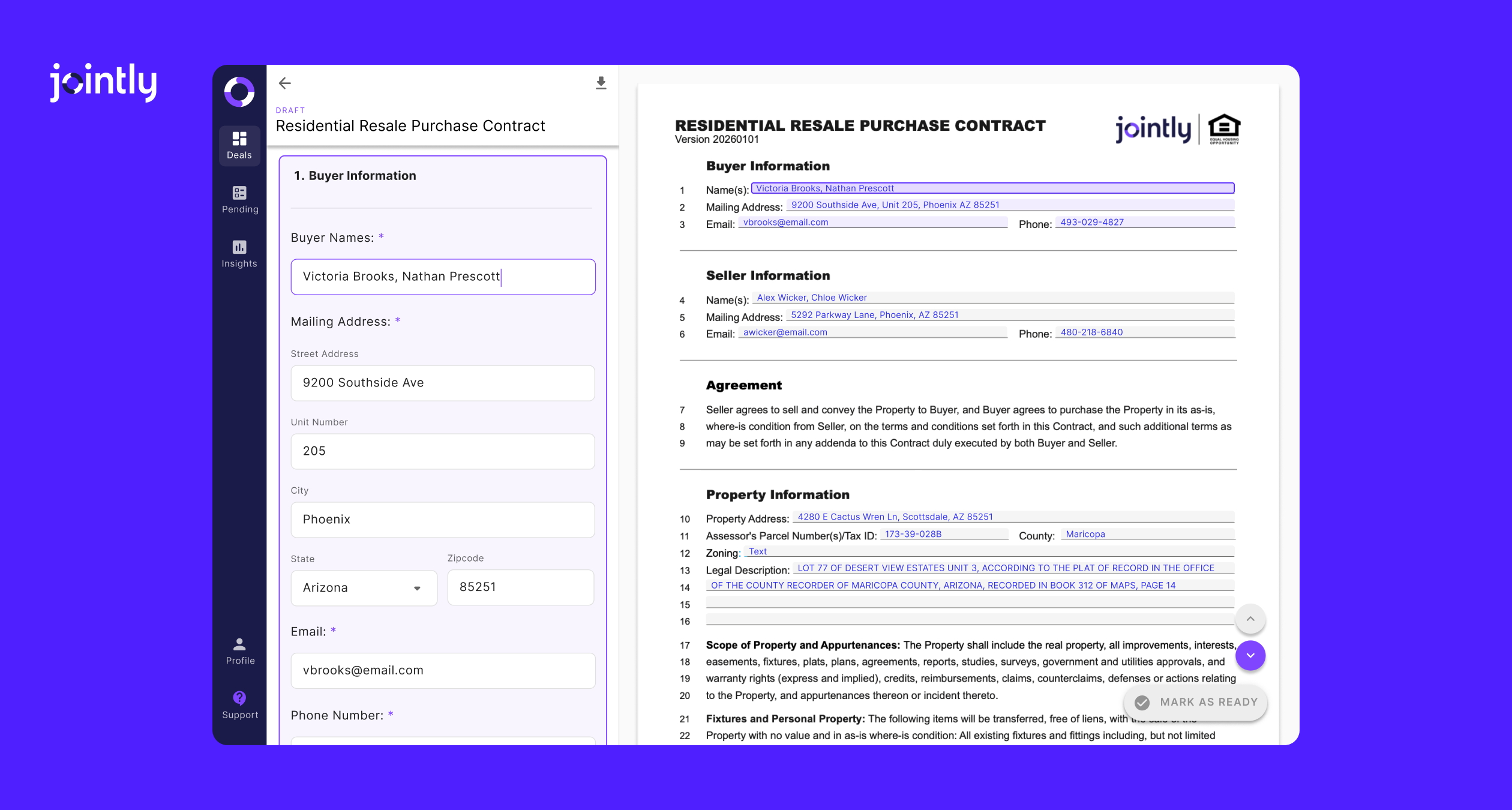
Jointly's side-by-side drafting feature, available for Phoenix REALTORS forms library and rolling out to other libraries soon.
Forms and MLS integration
Forms and pre-fill
SkySlope: Forms is included in the Suite. You import MLS data into a file to auto-fill matching fields, and agents review what populates. Association forms and templates update automatically when an association publishes a new version.
SkySlope: Offers Texas REALTORS forms and Arizona REALTORS forms, plus broad multi-state and MLS coverage.
Jointly: Direct partnerships with Unlock MLS in Austin, covering TREC, TXR, and Unlock forms, and with Phoenix REALTORS in Arizona. Unlock MLS members get Jointly Starter free. Side-by-side form filling is currently available for Phoenix REALTORS forms, with Texas documents using step-by-step filling.
Which fits? Both pre-fill from the MLS. If you’re in Austin or Phoenix, Jointly’s local partnerships and free Unlock access are the draw. If you work across many states, SkySlope’s broader coverage matters more.
Leases and offers
Leases and tenant screening
SkySlope: Supports lease files. Tenant screening runs through a RentSpree integration, which you can turn on when you create a tenant or landlord file in SkySlope Forms.
SkySlope:SkySlope Offers collects every offer in one place, compares them side by side, and lets listing agents accept, counter, or decline.
Jointly: A listing portal where buyers start drafting offers, and sellers can compare multiple offers side by side.
Which fits? Both handle multiple offers well. If you manage rentals regularly, Jointly’s native screening means one less integration to configure.
Compliance and approval workflows
SkySlope: Built around brokerage audit: broker dashboards, customizable checklists, Quick Audit file review, multi-stage review, role-based permissions, and audit trails.
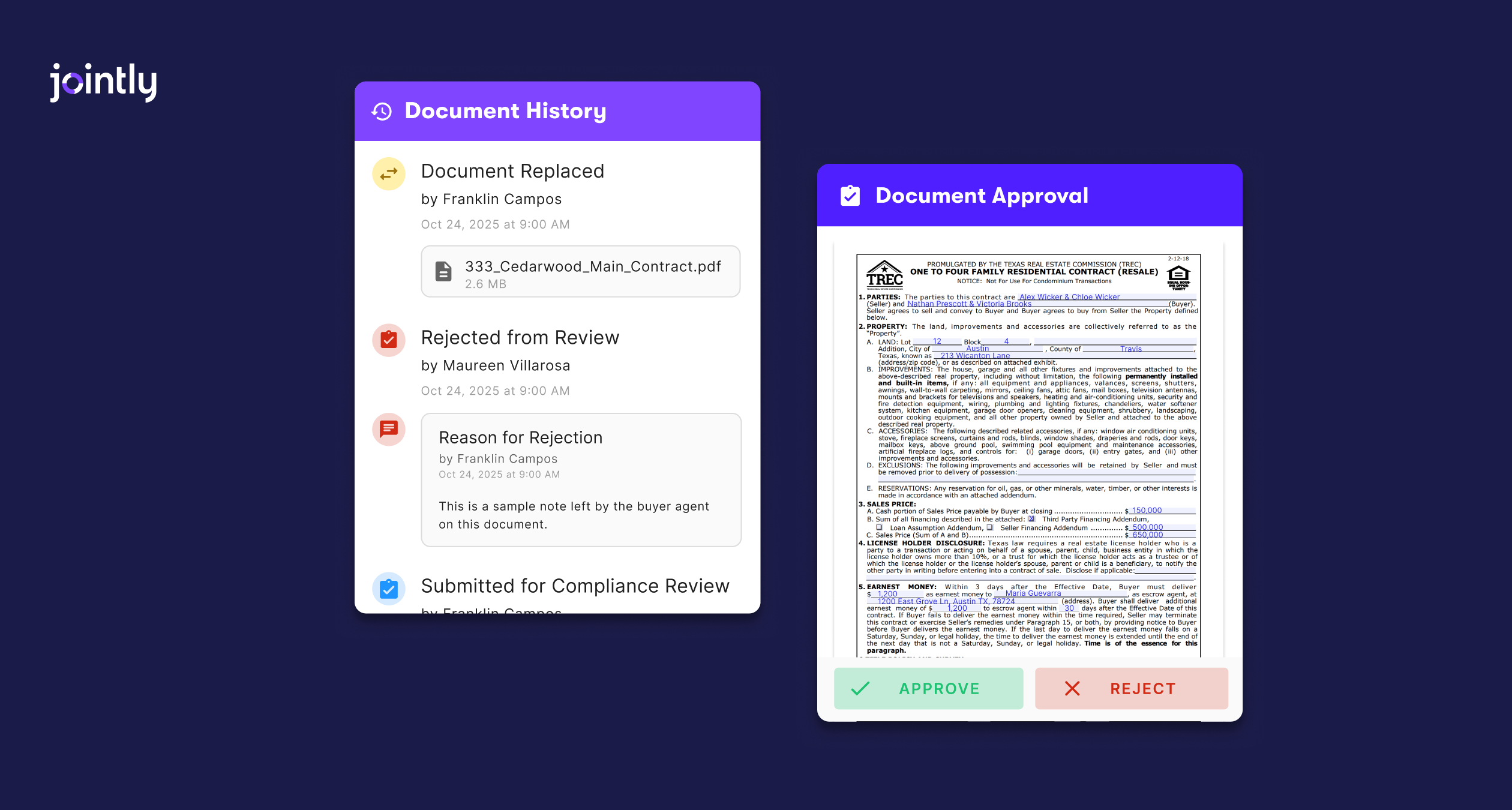
Jointly: Two models chosen by your team admin. Guided Compliance builds a checklist from your defaults and each deal’s answers, and Jointly Document Approval lets agents submit documents for review whenever they’re ready, with written rejection reasons.
Which fits? If you need a full audit workflow across many agents and offices, SkySlope is the more established fit. If you want a checklist that adapts to each deal, with a choice of lighter or stricter review, Jointly offers that choice.
Commission and back-office
SkySlope: SkySlope Books is an add-on for accounting and commission disbursement.
Jointly:Commission Disbursement Authorization on purchase deals and commission invoices on lease deals. It doesn’t include full back-office accounting, so you’d pair it with QuickBooks or a separate broker back-office tool.
Which fits? If you want accounting and commissions in the same platform as transactions, SkySlope is the better fit. If you already have an accounting setup, Jointly’s lighter approach works.
Mobile and remote work
SkySlope: Native iOS and Android apps with full transaction management, voice commands, and Auto Split & Assign on mobile.
Jointly: Works in the browser on desktop, tablet, and phone, with nothing to download.
Which fits? Prefer a dedicated app? SkySlope has one. Prefer no installs? Jointly keeps everything in the browser.
Pricing and plan structure
SkySlope:Suite starts at $340/month with no long-term contract required. Forms is included, and DigiSign (e-signature) and Books (accounting) are add-ons. SkySlope doesn’t publish seat counts or tiers, so final pricing comes from a sales quote based on your brokerage.
Jointly:Starter is free for your first 7 deals, then $9/month. Pro is $49/month, and Business starts at $249/month for up to 5 users, with discounted rates for additional users. Enterprise is custom. See the full Jointly pricing page. There’s no additional charge for MLS connections or document storage.
Which fits? For individual agents and small teams, Jointly’s published tiers make costs easy to predict. For larger brokerages, compare a SkySlope quote against Jointly Business pricing at your team size, including any SkySlope add-ons you’d need.
Who should choose which?
Choose SkySlope if:
You need broker-level audit, dashboards, and multi-stage review across many agents or offices.
You want accounting and commission disbursement in the same platform.
You work across many states and want broad forms coverage.
You prefer a native mobile app.
Choose Jointly if:
Most of your deals are in Texas or Arizona.
You want a low-cost start: Starter is free for 7 deals, and Unlock MLS members get Starter Unlimited free.
You handle leases regularly and want tenant screening built in.
You want compliance checklists that adapt to each deal, with a choice of lighter or stricter review.
You’re part of a team or brokerage that would rather handle accounting in a separate tool.
Making the switch
If you’re on SkySlope and considering Jointly, the decision usually comes down to how much back-office and audit functionality you rely on, plus your market. Switching costs are real, including training and deals already in progress.
A practical approach:sign up for Jointly’s Starter plan (free for your first 7 deals) and draft a few new offers or leases while SkySlope keeps running for active deals. You’ll verify your MLS and state license number at sign-up. After a handful of deals, compare drafting time, errors caught, and client feedback before deciding.